Automated OS Hardening & Security Audit
Terraform provisions a five-instance EC2 fleet, then a cross-distro Bash toolchain hardens SSH, host firewalls, patching, and compliance reporting. The result is an end-to-end security automation project with least-privilege IAM, remote Terraform state, and Markdown audit reports uploaded to S3.
View the repository · Read the README
What This Project Demonstrates
- Modular Terraform for VPC, security group, EC2 fleet, and compliance bucket resources
- Remote state in S3 with DynamoDB locking
- Least-privilege IAM for the automation user and EC2 instance profile
- Idempotent hardening for Ubuntu 22.04 and Amazon Linux 2023
- SSH migration from port 22 to a hardened port with a verified two-stage rollout
- Host firewall enforcement with UFW and firewalld
- Automated security patching with unattended-upgrades and dnf-automatic
- Per-host compliance reports generated in Markdown and uploaded to S3
1. Architecture
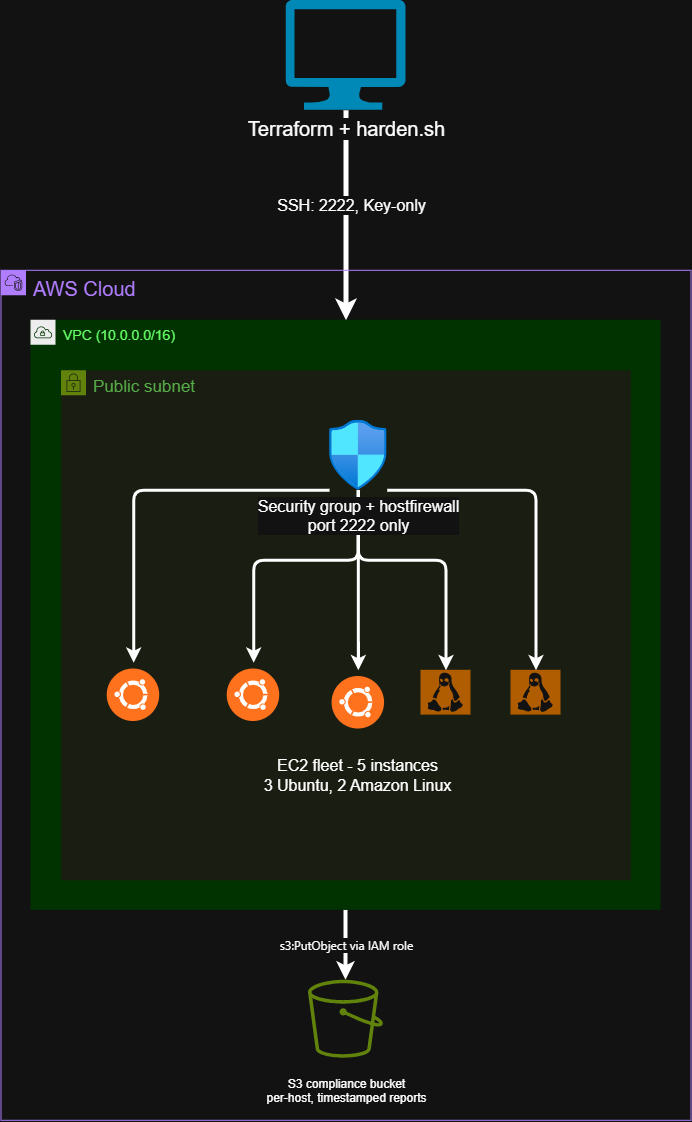
A single VPC and public subnet host the fleet: three Ubuntu 22.04 instances and two Amazon Linux 2023 instances. Inbound SSH is restricted to one trusted IP and one hardened port, enforced independently at the AWS security group, host firewall, and SSH daemon layers.
Instances authenticate to S3 through an IAM instance profile, so no static AWS credentials are stored in the codebase or on the hosts.
2. Infrastructure Provisioning
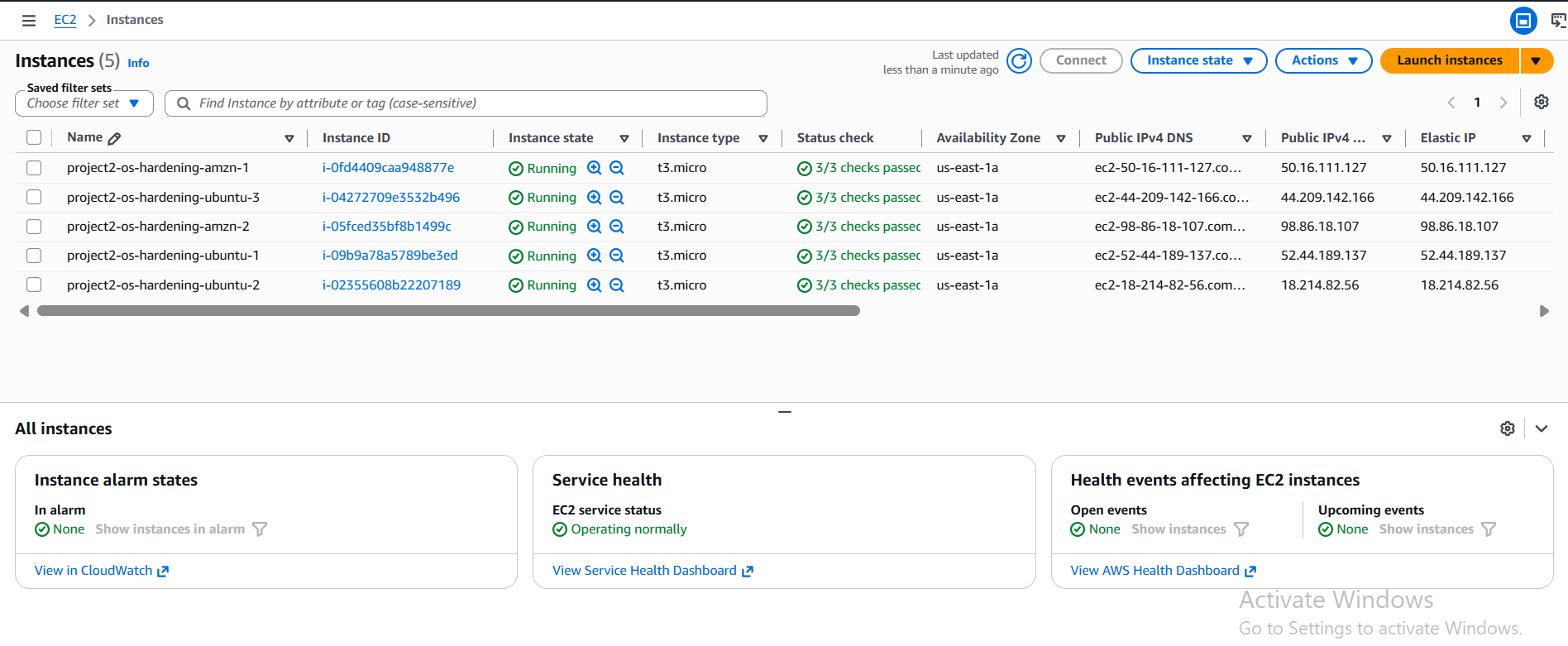
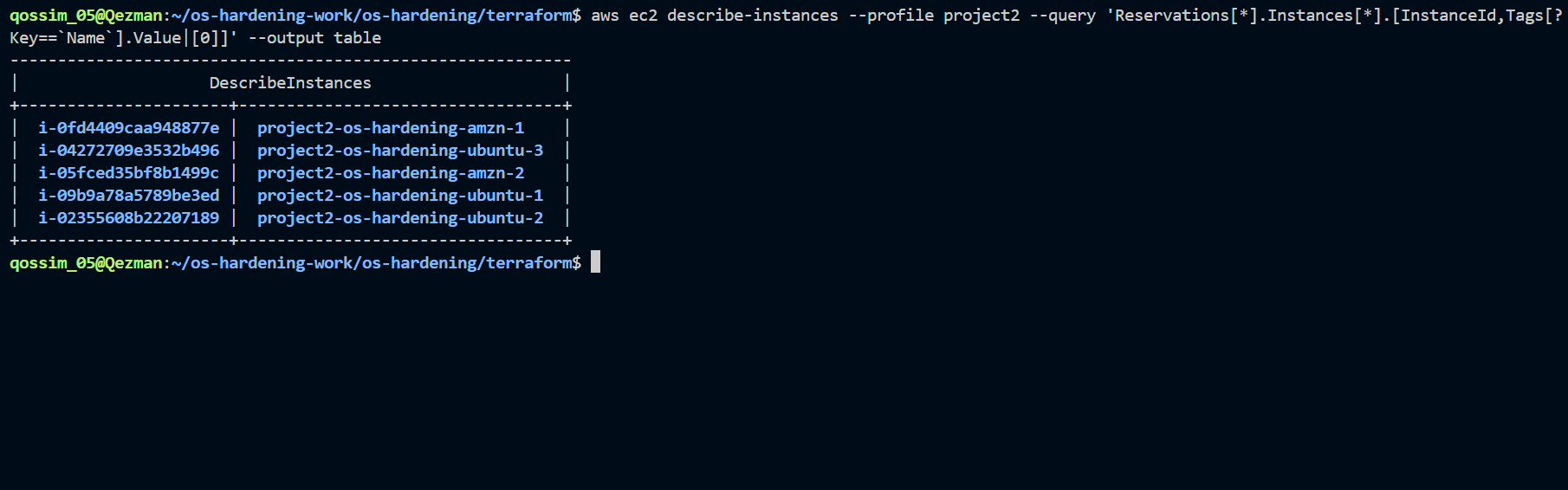
Terraform is organized into four modules: network, security-group, compliance-bucket, and ec2-fleet. The root module wires them together while state is stored remotely in a versioned S3 bucket with DynamoDB locking.
The fleet is defined once as a typed map and created with for_each, so each instance has a stable identity:
resource "aws_instance" "fleet" {
  for_each = var.instances
  ami      = each.value.ami
  ...
}
Using for_each keyed by instance name avoids the churn that can happen with count, where removing one item shifts later indexes and can recreate unrelated instances.
3. IAM Design
The automation user, project2-automation, runs under a scoped policy rather than AdministratorAccess. Permissions were added only when a real AccessDenied error required them, then tightened to the narrowest useful resource scope.
Key points:
- IAM resource management is scoped to
project2-*resources. iam:PassRoleis limited toec2.amazonaws.com.- The EC2 role can only write compliance objects to the project S3 bucket.
- The policy is documented in iam-setup/project2-iam-policy.json.
This exposed a practical AWS provider detail: aws_iam_role performs read checks such as ListRolePolicies, ListAttachedRolePolicies, and ListInstanceProfilesForRole during create and destroy operations, so a role-management policy needs those list permissions even when the automation does not directly list roles for its own workflow.
4. SSH Hardening
scripts/harden.sh runs the same logical workflow on every instance, branching only where Ubuntu and Amazon Linux use different system tools.
Root SSH login and password authentication are disabled through idempotent check-then-modify logic against sshd_config. Existing directives are corrected in place, and missing directives are appended only once.
Two-Stage Port Migration
Moving SSH away from port 22 is the riskiest step, so the script does it in two stages:
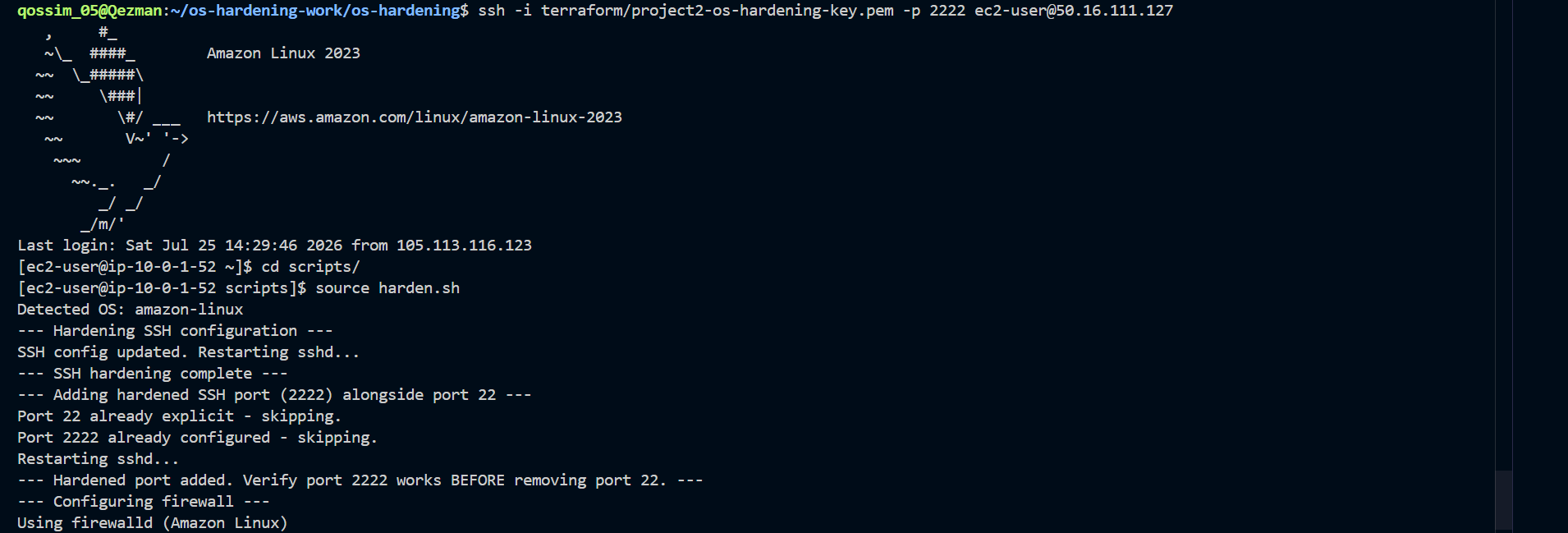
harden_ssh_portadds port2222while keeping port22active.- After a fresh connection succeeds on
2222,remove_legacy_ssh_portremoves port22.
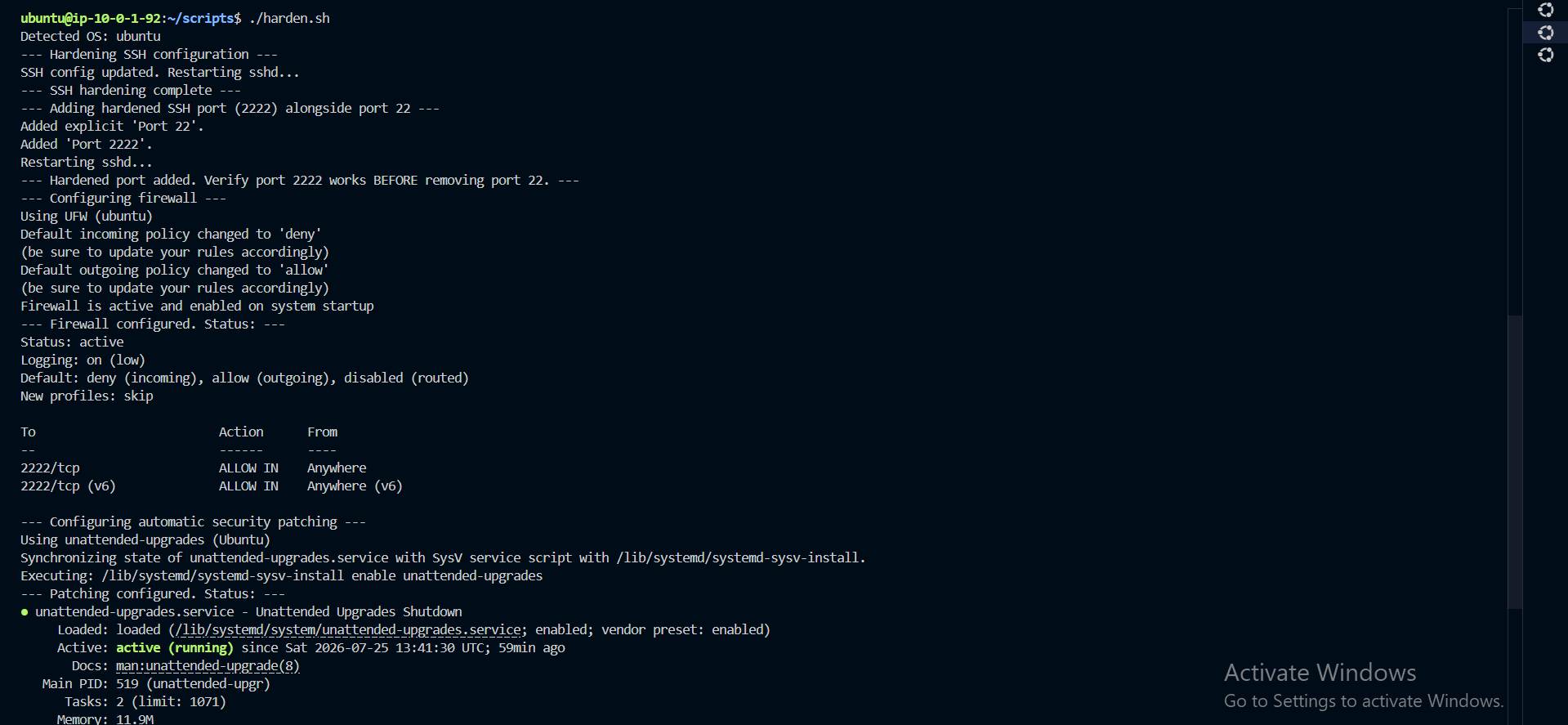

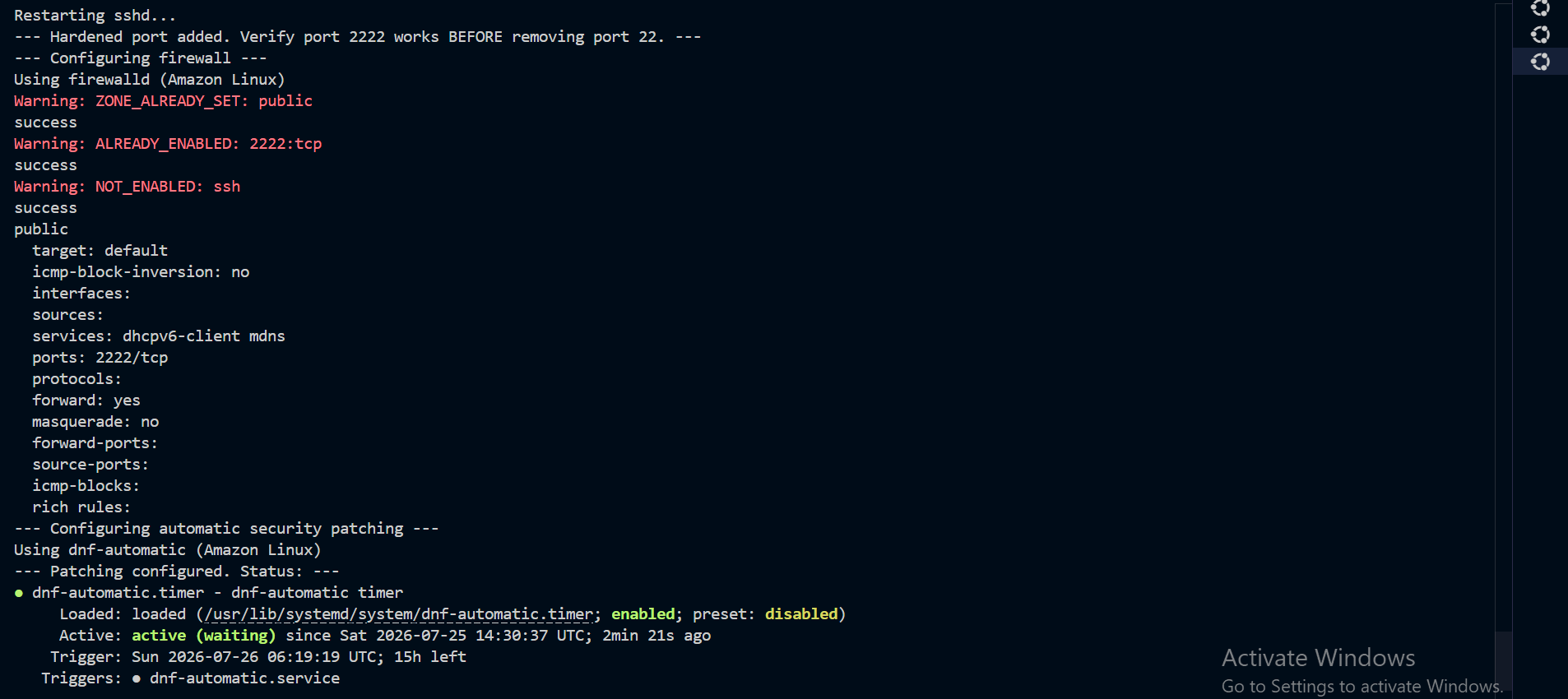
The same sequence works on Amazon Linux through the firewalld branch:

5. Host Firewall
harden_firewall uses each distribution’s native firewall tool.
| Area | Ubuntu | Amazon Linux |
|---|---|---|
| Tool | UFW | firewalld |
| Install check | command -v ufw |
command -v firewall-cmd |
| Default policy | deny incoming, allow outgoing |
public zone |
| Allowed port | 2222/tcp |
2222/tcp |
One Amazon Linux detail matters: firewalld’s public zone includes a default ssh service rule for port 22. The script removes that service rule with firewall-cmd --permanent --remove-service=ssh so port 22 is actually closed at the host layer.
6. Automatic Security Patching
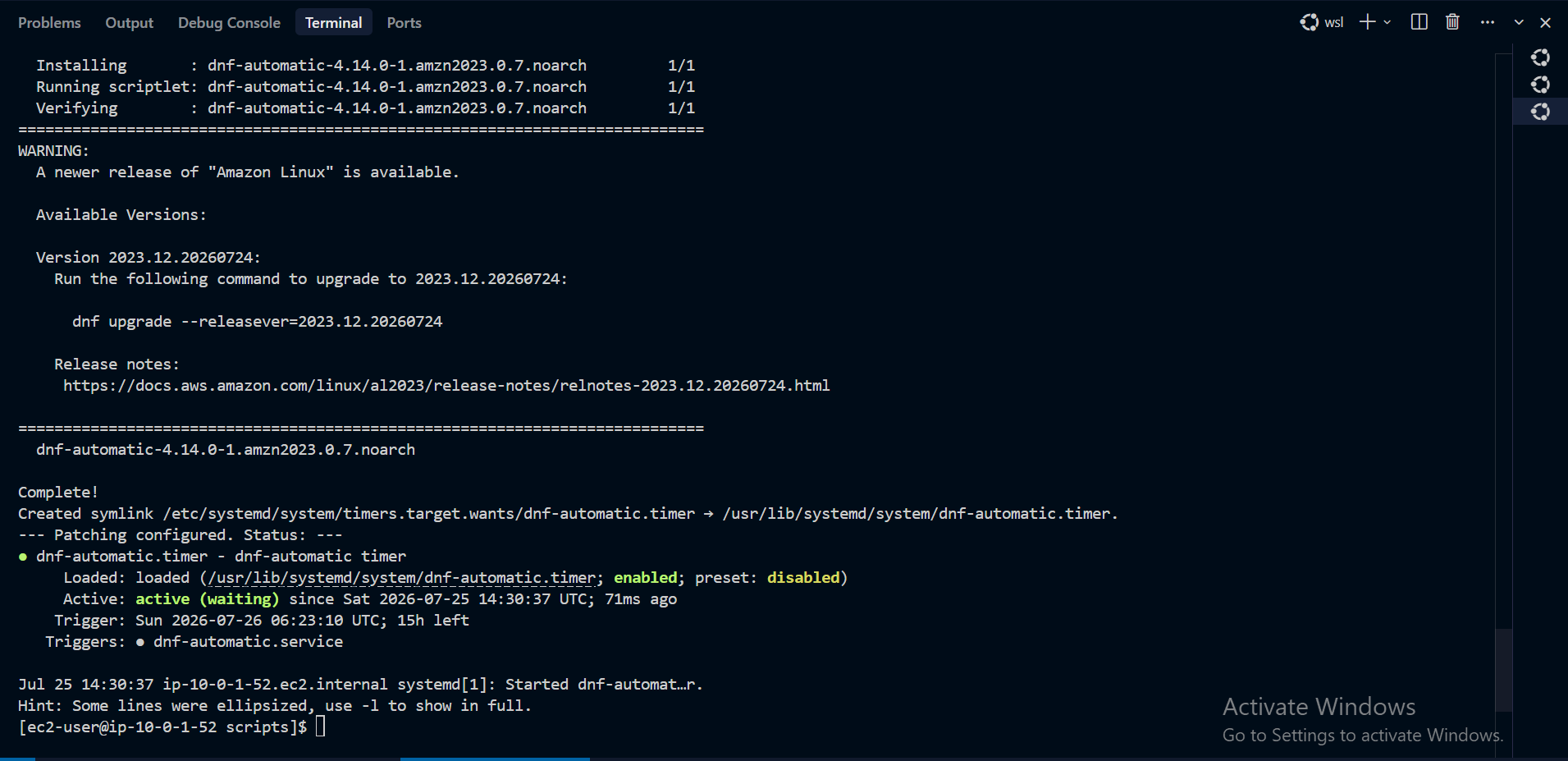
- Ubuntu:
unattended-upgradesis verified and enabled. - Amazon Linux:
dnf-automaticis installed and configured withapply_updates = yes.
7. Compliance Reporting
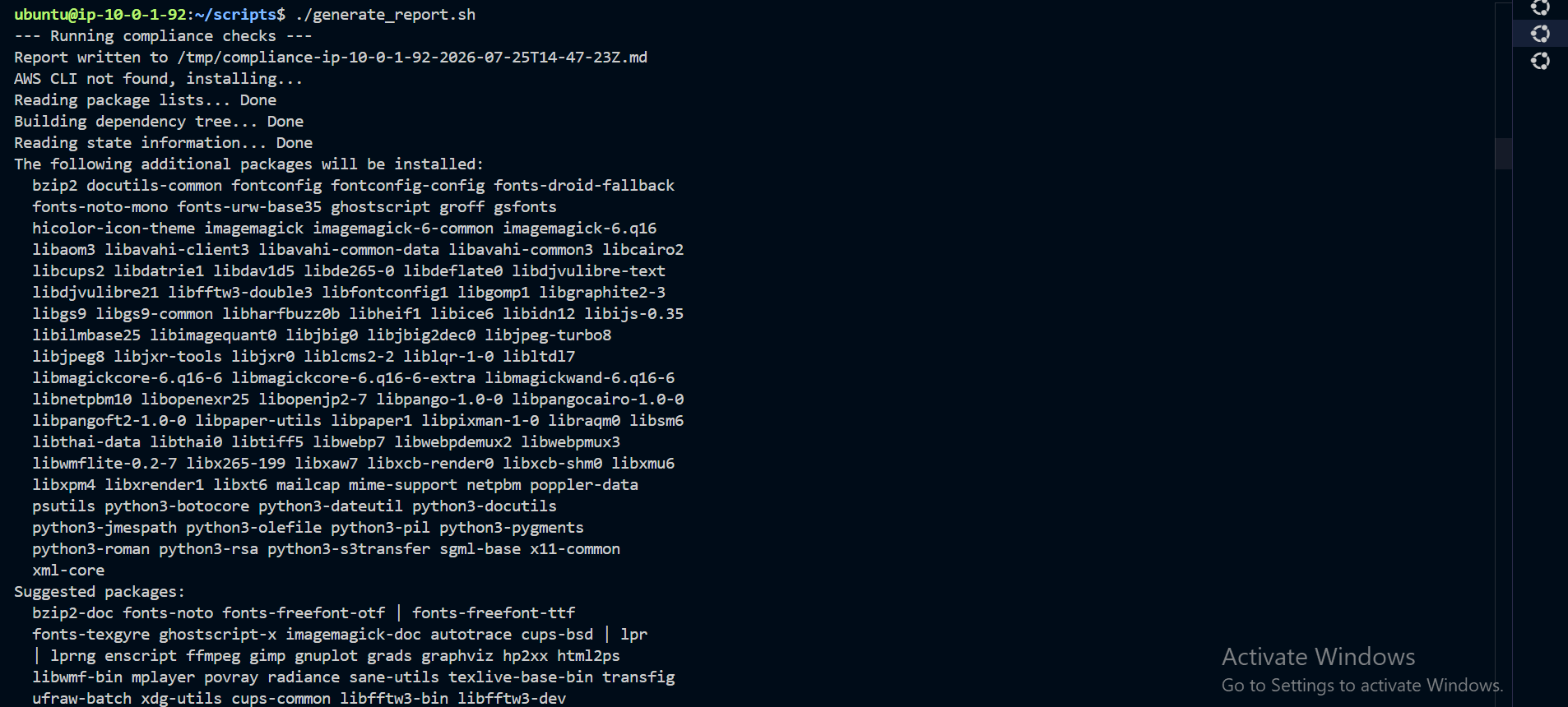
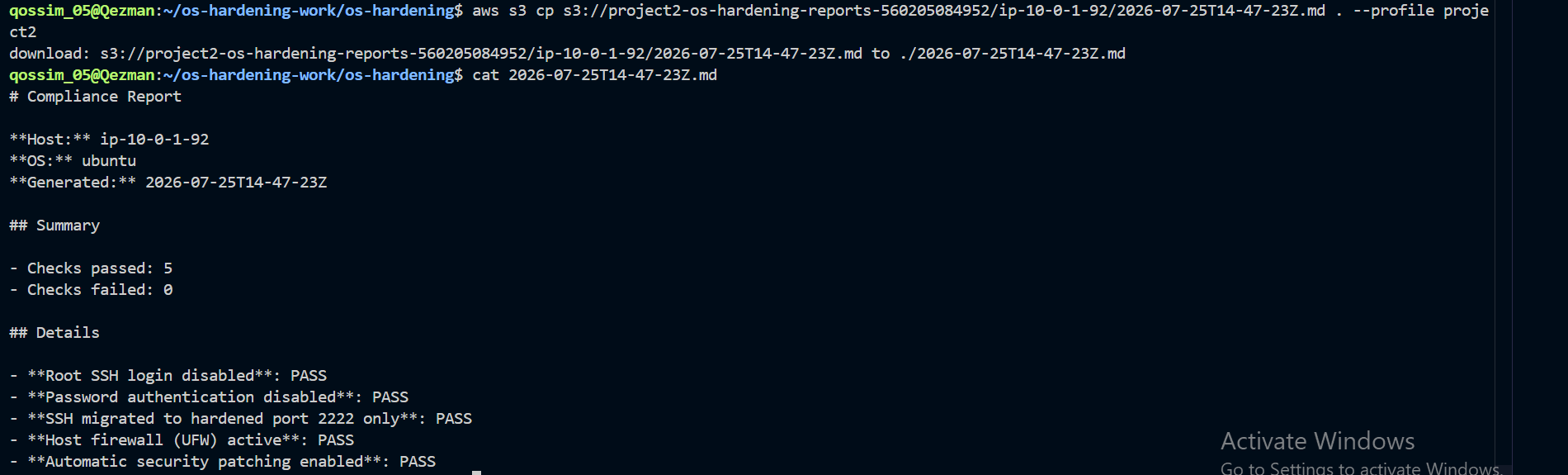
scripts/generate_report.sh is read-only by design. It verifies system state independently from harden.sh, then writes a Markdown report and uploads it to S3.
Each check maps back to a specific hardening control:
check_ssh_port() {
  if sudo grep -q "^Port 2222$" /etc/ssh/sshd_config && ! sudo grep -q "^Port 22$" /etc/ssh/sshd_config; then
    add_check_result "SSH migrated to hardened port 2222 only" "PASS"
  ...
}
During testing, this caught two instances where harden.sh had run but remove_legacy_ssh_port had not, leaving port 22 bound alongside port 2222. The report flagged the drift and prompted the follow-up fix.
8. Elastic IPs
Instances without Elastic IPs receive a new public IP after stop/start, which makes iterative testing painful. The project assigns one Elastic IP per instance, keyed to the same for_each map as the EC2 resources:
resource "aws_eip" "fleet" {
  for_each = var.instances
  instance = aws_instance.fleet[each.key].id
  domain   = "vpc"
}
This keeps each instance’s public IP stable through stop/start cycles.
9. Known Limitations
- SSH access is gated by a manually maintained trusted-IP allowlist in
terraform.tfvars. In production, AWS Systems Manager Session Manager would remove the need for inbound SSH. - Elastic IPs survive stop/start, but not a full
terraform destroy. - The Terraform backend bootstrap resources are created outside Terraform because Terraform cannot provision the backend it depends on.